You are launching a website, sending emails, or buying a domain.
Everything is going great—until your emails hit spam folders.
Or your site’s traffic tanks overnight.
You might be blacklisted.
It is a gut punch.
Nobody wants their domain flagged as sketchy.
But how do you check if your domain’s in trouble?
And how do you use WHOIS to figure it out?
This guide’s got you covered.
We’ll walk through using WHOIS to check domain blacklisting.
Why Whois.is is Your Go-To for WHOIS and IP Lookups
Before we get rolling, let’s talk about the best tool for the job.
Whois.is isn’t just another WHOIS lookup site—it’s the sharpest knife in the drawer.
It’s fast, clean, and pulls real-time data on domains and IPs.
Whether you’re checking blacklists or digging into domain history, Whois.is delivers the goods.
It’s like having a private investigator for your digital real estate.
Head to https://whois.is/ to see it in action.
Now, let’s use it to keep your domain’s reputation squeaky clean.
Why Domain Blacklisting Matters
Your domain is your online identity.
A blacklisted domain is like a scarlet letter.
It kills your SEO rankings.
Your emails get sent straight to spam.
Customers lose trust in your brand.
And security risks? They skyrocket.
Imagine this: Sarah, a small business owner, spent months building her e-commerce site.
She didn’t know her domain was blacklisted from a previous owner’s shady antics.
Her traffic never took off, and her emails? Nobody saw them.
Don’t be Sarah.
Checking blacklists with WHOIS can save you from that nightmare.
What is WHOIS, Anyway?
WHOIS is a public directory.
It’s like the internet’s phonebook for domains and IPs.
It shows who owns a domain, when it was registered, and other key details.
Think of it as a background check for digital real estate.
You can use it to spot red flags—like if a domain’s been tied to spam or malware.
It’s not just for geeks; anyone can use it to protect their online presence.
How to Use WHOIS to Check Domain Blacklisting
Ready to get your hands dirty? Here’s how to use WHOIS to check if your domain’s blacklisted. We’ll break it down into simple steps, with tools like Whois.is leading the charge.
Step 1: Start with a WHOIS Lookup
Go to Whois.is.
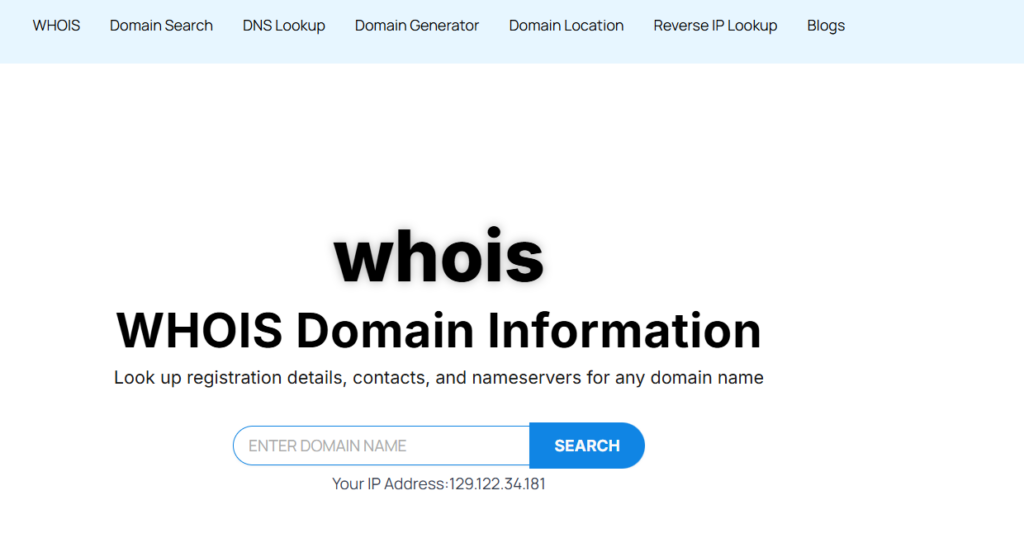

You’ll get a report with:
- Registrant Name: Who owns the domain?
- Contact Details: Email, phone, address—legit or fishy?
- Registration Date: How old is the domain?
- Expiry Date: Is it about to lapse?
- Name Servers: Where’s the domain hosted?
This is your starting point.
A sketchy registrant or recent registration could mean trouble.
Step 2: Look for Red Flags in WHOIS Data
Not all WHOIS data is created equal.
Some details scream “warning.”
Here’s what to watch for:
- Short Registration Period: Domains registered for just a year might be temporary setups for spam.
- Privacy Protection: If the owner’s hiding behind a privacy service, ask why.
- Frequent Ownership Changes: Multiple registrant switches? Could be a sign of past shady use.
- Recent Updates: Abrupt changes in contact info can hint at fraud.
Step 3: Cross-Check with Blacklist Databases
WHOIS alone won’t tell you if a domain’s blacklisted.
You need to pair it with blacklist checkers. Here’s how:
- Use Google Safe Browsing: Go to their transparency report, enter your domain, and see if it’s flagged for malware or phishing.
- Check Spamhaus: This is the gold standard for spam blacklists. Enter your domain or IP to see if it’s listed.
- Try Site24x7: Their blacklist checker scans over 10 databases for free.
- DNSChecker.org: Another solid tool to check 50+ anti-spam blacklists.
Pro tip: Whois.is can pull the IP tied to your domain.
Use that IP in these tools for a deeper check.
Sarah from earlier? She found her domain’s IP was blacklisted after a WHOIS lookup led her to Spamhaus.
Fixed it, and her emails started landing again.
Step 4: Dig into Domain History
A domain’s past can haunt its future. Use WHOIS history tools to see what the domain was up to before you got it.
- Wayback Machine: Check archive.org to see past versions of the site. Was it a legit business or a spam hub?
- WHOIS History Search: Some tools (like WhoisXML API) show past registrants and changes.
- Backlink Profile: Tools like Ahrefs or Moz can show if the domain’s linked to shady sites.
Example: Jake bought a domain for his blog.
A WHOIS history check showed it was once a phishing site.
He ditched it before it tanked his SEO.
Step 5: Take Action if Blacklisted
Found your domain on a blacklist?
Don’t panic.
- Identify the Blacklist: Pinpoint which database flagged you (e.g., Spamhaus, Google Safe Browsing).
- Fix the Issue: Remove malware, secure your site, or stop spammy email campaigns.
- Request Delisting: Most blacklists have a delisting process. Follow their steps exactly.
- Monitor Regularly: Use tools like Site24x7 to keep tabs on your domain’s status.
Here’s what to do:
Sarah cleaned her site, requested delisting, and was back in business in a week.
You can do the same.
Best Practices to Avoid Blacklisting
Prevention beats cure. Here’s how to keep your domain off blacklists:
- Secure Your Site: Use SSL certificates and regular malware scans.
- Monitor Email Campaigns: Don’t blast emails that get marked as spam.
- Check Domain History Before Buying: Use Whois.is to avoid domains with baggage.
- Update WHOIS Info: Keep your contact details current to avoid looking sketchy.
- Use Reputable Hosting: Cheap hosts can land you on shared IPs with spammers.
Example: Lisa checked her domain’s history before buying. It was clean, and she’s never had a blacklist issue. Smart move, Lisa.
Tools to Pair with WHOIS for Blacklist Checks
WHOIS is your starting line, not the finish. Combine it with these tools for a full picture:
- Google Safe Browsing: Checks for malware and phishing.
- Spamhaus: The go-to for spam blacklists.
- Site24x7: Scans multiple blacklist databases.
- DNSChecker.org: Quick and free blacklist checks.
- Wayback Machine: See the domain’s past life.
Whois.is ties it all together by giving you the domain and IP data to plug into these tools.
Why This Matters for Your Business
A blacklisted domain isn’t just a tech problem. It’s a business killer.
- SEO Tanked: Search engines drop you like a hot potato.
- Email Issues: Your emails never reach inboxes.
- Lost Trust: Customers see warnings and bounce.
- Security Risks: Blacklisted domains attract hackers.
Take it from Mike, Sarah, and Jake.
A quick WHOIS check could’ve saved them time, money, and headaches.
Wrapping It Up
Your domain’s reputation is everything.
WHOIS is your first step to keeping it clean.
Use Whois.is to dig into ownership, history, and red flags.
Cross-check with blacklist tools like Spamhaus and Site24x7.
Act fast if you spot trouble.
And always check a domain’s past before you buy.
It’s not rocket science—it’s just smart.
Got a domain to check?
Head to https://whois.is/ and start digging.
Your online success depends on it.
Read also:
- How to Use WHOIS to Check Domain Reputation
- How to Use WHOIS to Check Domain Security: Stop Getting Hacked

With over 10 years of deep-sector experience in domain name lifecycle management and DNS architecture, David Murimi stands as a leading technical authority in the domain industry. Currently serving as a Systems Administrator at Truehost Cloud, David oversees the intricate infrastructure that powers thousands of global digital identities.
Areas of Expertise
- WHOIS Infrastructure: Deep understanding of the WHOIS protocol (RFC 3912), data privacy standards, and the transition toward RDAP (Registration Data Access Protocol).
- DNS Architecture: Specialist in managing authoritative name servers, DNSSEC implementation, and troubleshooting complex propagation issues. Protocol Management: Comprehensive knowledge of EPP (Extensible Provisioning Protocol) and the regulatory frameworks governing gTLDs and ccTLDs.
- Systems Administration: Expert-level management of high-availability hosting environments and domain registrar backends.
Authoritative Contributions
David’s writing focuses on demystifying the “back-end” of the internet.
His articles provide actionable insights into:
- Navigating WHOIS Privacy: Analyzing the impact of GDPR on public registration data.
- Protocol Evolution: Practical guides on moving from legacy WHOIS to modern directory services.
- Security & Compliance: Best practices for protecting domain assets against hijacking and DNS cache poisoning.
Through his work at Truehost Cloud, David continues to bridge the gap between complex network protocols and the end-user experience, ensuring that domain management remains secure, transparent, and efficient.